
A multiple-choice maths test in 2 minutes
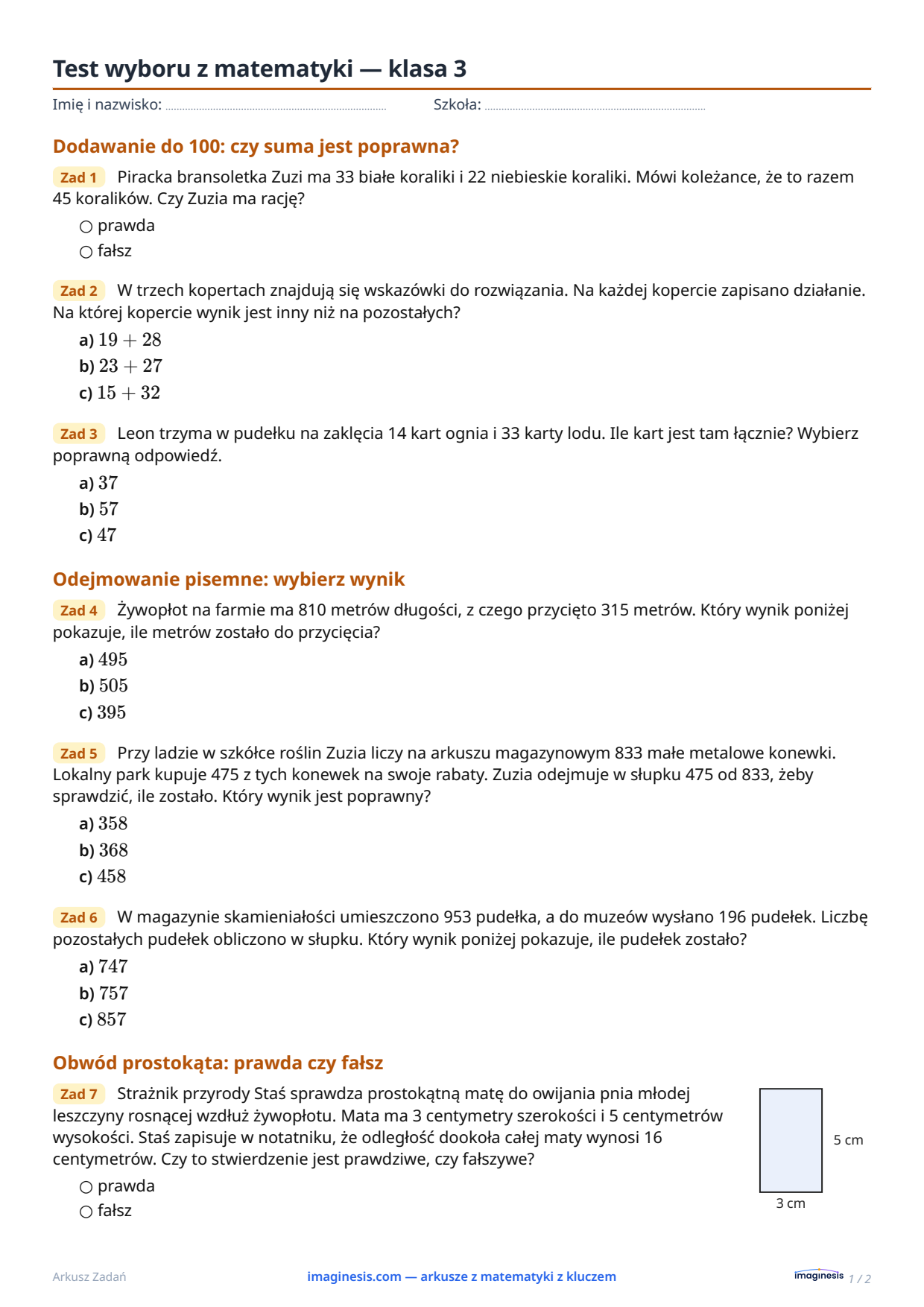
A quiz with open questions takes long to mark: you read every working. A multiple-choice test is marked in minutes — as long as the questions are good and the wrong options make sense. Here is how to make one in the generator.
1. Pick the grade and the topics
Choose a grade and the sections you want on the test, exactly as for an ordinary worksheet. Many closed questions are still short word problems, so the test checks understanding, not only arithmetic.
2. Tick “Multiple-choice test”
Every section then uses only closed questions of its skill: a–d choice and true/false. If you picked an open task, the generator swaps it for a closed form of the same skill. Before you print, each section shows how many different closed question types it has; a section without any stays out of the test.
Leave the box unticked and the same choice questions sit next to open word problems on an ordinary sheet — a good warm-up before the real test.
3. Groups A–D and one key
Set two, three or four groups. Each group gets different numbers and the correct answer under a different letter, so copying from a neighbour does not help. One shared answer key has a column for each group.
4. The answer sheet and the overlay key
Keep “Answer sheet for students + overlay key” on. After the questions comes a sheet with bubbles to fill in (question number × a b c d, true/false). The answer key repeats the same grid with the correct bubbles filled in: lay it over the student’s sheet and you see the score at a glance. Collect the question sheets and use them again with the next class.
What a wrong answer tells you
The wrong options are not random. Each one matches a typical mistake — a lost carry, adding instead of subtracting, mixing up units. Under the key you get a list such as “Q3: b) lost carry”. After the test you know not only who got it wrong, but what went wrong.
See a sample test for grade 3 in the gallery, with its answer key and solutions.